
By David Gewirtz
We get a lot of books in for review here at ZATZ. Most of them aren't for Outlook, though. So, when The Microsoft Outlook Ideas Book, shown in Figure A, came in, we had a lot of ideas.
FIGURE A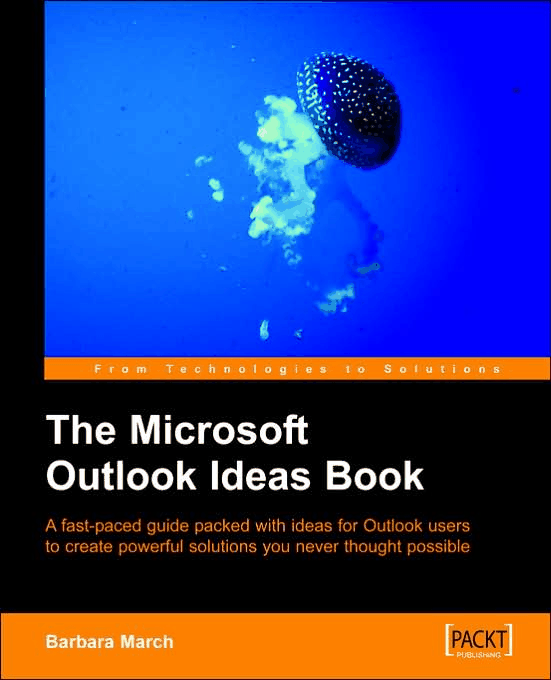
I think that's a jellyfish on the cover. (click for larger image)
Here's how to avoid getting stung. The book's not what we expected. It's not at all bad, but it's not really an "ideas" book. It's much more of a projects book. As a projects book, it's really cool. There are a number of things you can build with Outlook you might not have thought of, including:
- Monitoring staff leave and printing schedules
- Managing meeting rooms and printing invoices
- Managing fleet vehicles, their records, and servicing, and
- Managing a school class calendar, student records, attendance, assignments, and reports
If you've ever wondered how you can build a mini-application for your business using the resources of Outlook, this book is for you.
However, if you thought you'd get ideas for, say, spam management, virus control, dealing with identity theft, managing rules, or all the other more user-oriented things you might want ideas for, this book is not for you.
There are two other nitly "howevers" we've got to point out. The book's description claims it's for users of Outlook 2000 and upwards, but the downside of that is most examples are given using Outlook 2000, so the book feels just slightly out of date. Second, the screenshots in the book are so screened (like you'd see in old-style newspaper photos) that they're sometimes annoying to read. It's a technique designed to make printing easier, but it's not fun to read and most modern books produce screenshots in a more pleasing manner.
We're starting to see more and more books provided in an ebook and printed form. If you just want a PDF, it'll cost you $14.94. The printed book is $22.49, and a bundle of both is $25.49.
[9/8/2006 Update: Contributing Editor Bill Mann had this to report: I downloaded the PDF version of the Outlook Idea book. I just started reading the book itself, but there are two mechanical issues people should be aware of if they decide to go with the PDF. You can't print or copy content from the eBook. The only way you can use it is on-screen.
The book opened up formatted to display two pages side-by-side, which is really clumsy to work with. You can fix this in Adobe Reader by clicking View, then Page Layout. In the sub-menu that appears, click Single Page. That allows you to view the document one page at a time. Selecting Continuous in that sub-menu lets you scroll through the document without jumping to the top of the next page every time you reach the bottom of the current page.
We're not going to change our rating, but we find the lack of printing in the PDF very disappointing.]
You may not have known this, but, according to the Wikipedia, a group of jellyfish is often called a "smack". As long as you know what you're buying, this is an interesting book. We give The Microsoft Outlook Ideas Book four smacks out of five.
RATING: 4 STARS


