
By David Gewirtz
Colleen Samuelson asked us an interesting question about reminders:
Our problem is not that the reminder pop-ups aren't working, they just aren't always popping up in the forefront of other applications. They are often popping up behind other windows. The small icon on the task bar, even though blinking, is not enough to get a persons attention. Any way to customize this?
As you may have noticed, there aren't a whole lot of options in Outlook for customizing how reminders display. If you want to make sure you notice your reminders, there are really two available approaches you could take.
The first one I don't recommend. You could go dig up a shareware program that monitors what windows are open and when the reminder window opens, takes some action. These sorts of shareware hacks have been around in various forms for years, but they almost always get in the way, or miss one variation or the other.
But there is another approach, and this one might work for you. I have my calendar send me email messages, which then show up right in my inbox. Since I live out of my inbox and obsessively check it 10 times a day or more (really, it's sad, I do), having a reminder show up as a message is sure to get my attention.
But if you're having your calendar send you email messages as reminders, then you might as well go all the way and have it send you a phone message, so that your phone reminds you when something's happening.
Unfortunately, Outlook itself doesn't provide email reminders functionality. There is, however, a simple $19.95 product from Sperry Software that should do the trick. Called Email Reminders Add-in, shown in Figure A, this program is an add-in that emails you reminders.
FIGURE A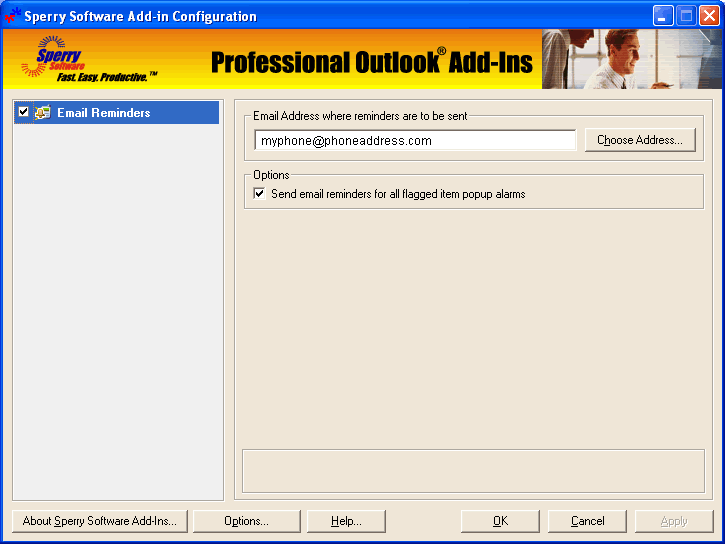
Enter the email address and you're good to go. (click for larger image)
The utility is simplicity itself. Just enter the email address and you're good to go.
Personally, I hate it when my phone bleeps with messages, but the idea of Email Reminders is you could send an email to anything that accepts an email message. Some IM programs also accept email messages, so you could send your reminders there as well.
Go wild, email your reminders, and you'll never forget.


